Yes, but only through Profile View History, and only when its requirements are met. If you're asking does tiktok show who views your profile, the answer depends on your age, your follower count and a setting that is off by default.
If you film product takes and would rather post than trim them, upload a raw take and get the first clip cut free, no card.
Everything below about TikTok's rules comes from third-party blogs I read on October 28, 2026. I did not check TikTok's own Help Center for this post, so confirm the menu names in your app before you rely on them.
When does tiktok show who views your profile: the four conditions
Profile View History shows you a list of people who visited your profile. Four conditions have to line up, according to Descript, Multilogin (last updated July 9, 2026), Spybroski and TikGhost (updated and checked October 15, 2026):
- Your account is 16 or older.
- Your account has fewer than 5,000 followers.
- You switched the setting on. It is off by default (Async, TikGhost, Spybroski).
- The visitor also has the setting on. If they don't, their visit won't appear in your list (Multilogin, Spybroski).
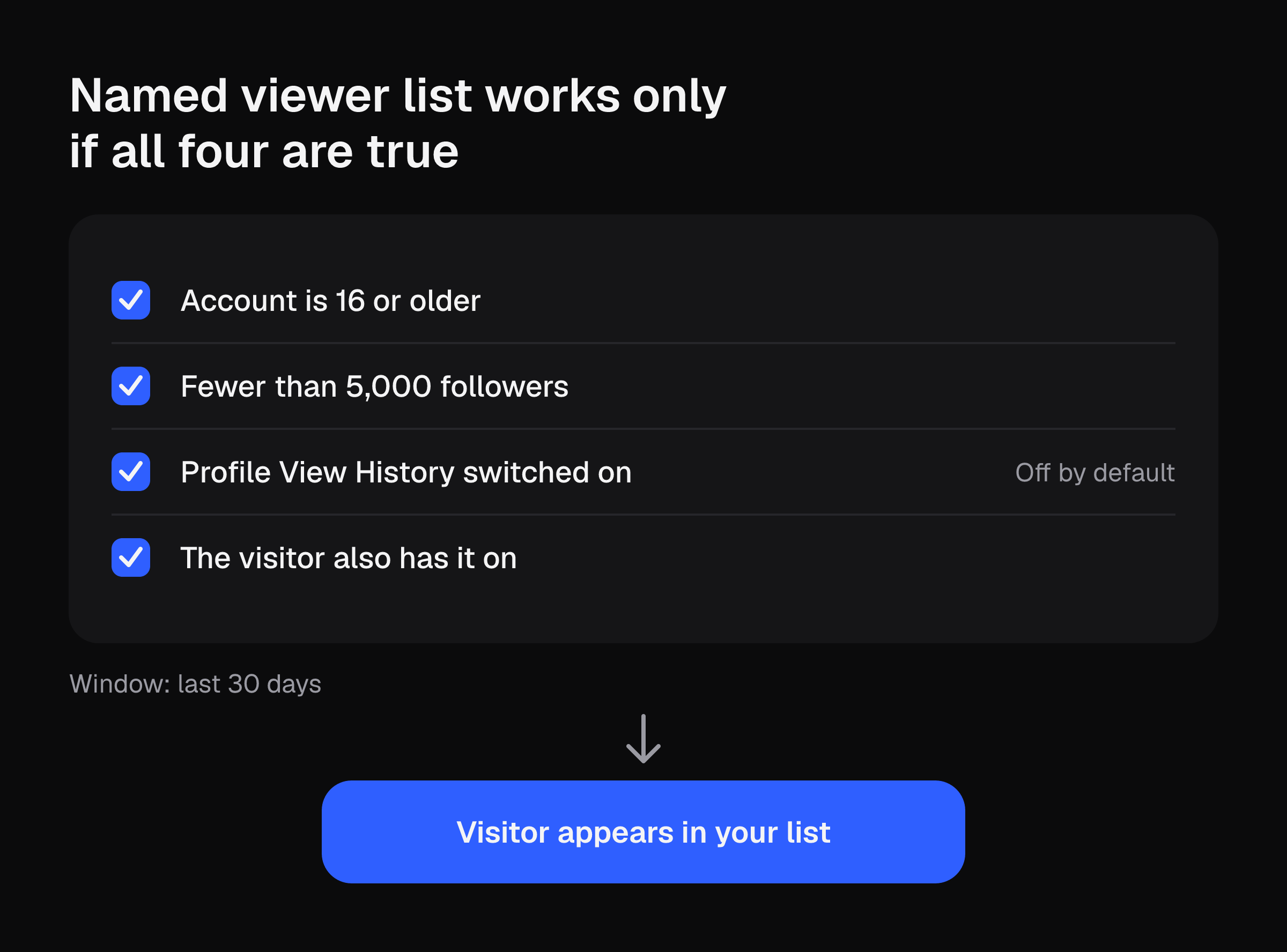
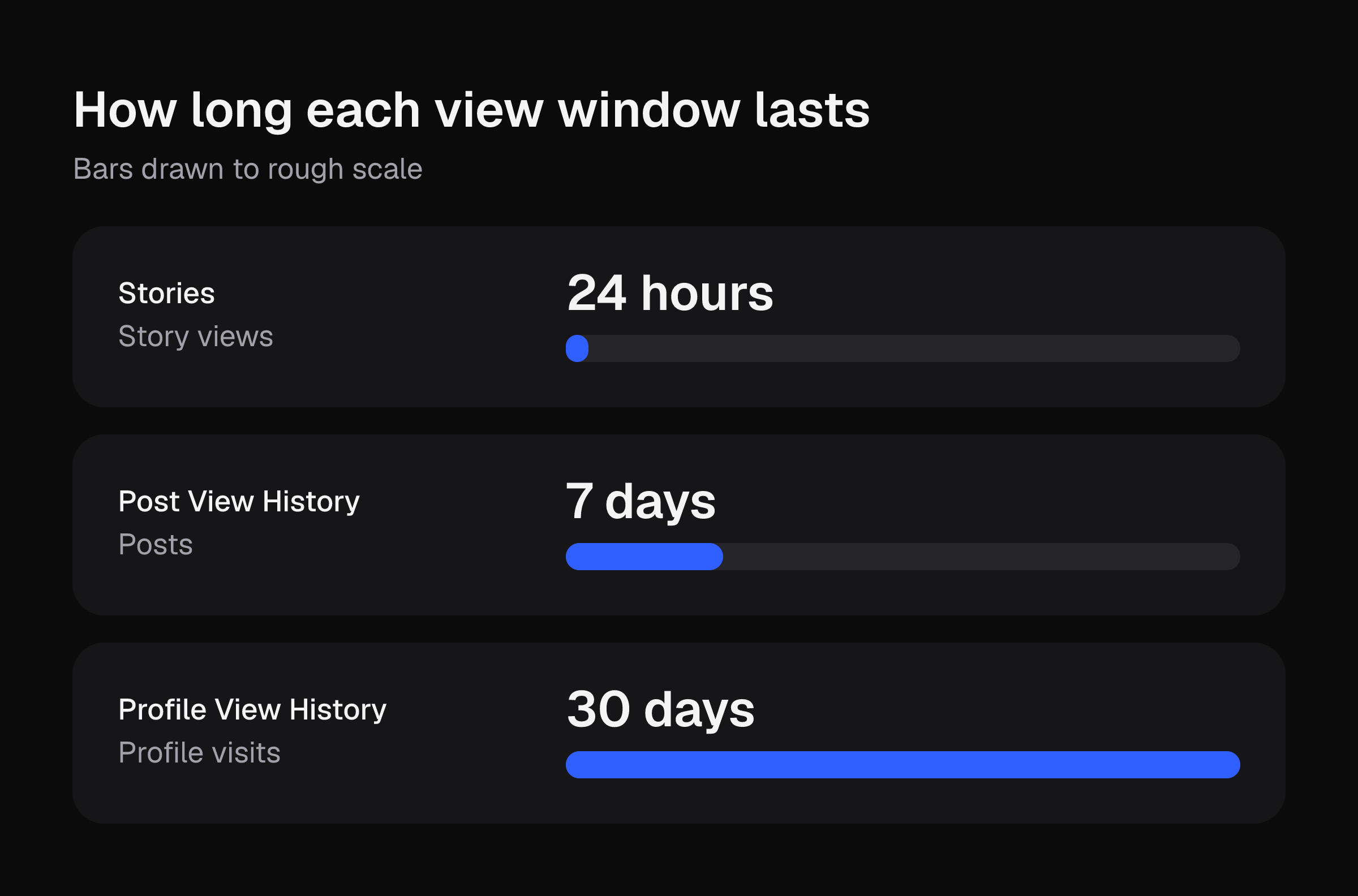
The window is 30 days. Visits older than 30 days don't appear on anyone's list, and turning the setting on doesn't reveal visits from before you enabled it (Multilogin).
What the list shows
Multilogin says the list shows usernames, profile photos and an approximate timestamp. It is incomplete. Private accounts and people who disabled the feature don't appear (Descript). If you can't find the setting at all, Multilogin lists three other causes: you have more than 5,000 followers, the account is under 16, or the app needs an update.
Notifications: the sources disagree
Multilogin says TikTok sends no push notification for profile views and that a brief notification feature was removed. Spybroski and TikGhost describe profile-view notices in Inbox, then Activities. I could not confirm which version is current. Open your Inbox and check Activities yourself, and don't count on a ping either way. The reliable route is opening the list by hand.
How to turn Profile View History on
Descript, Multilogin and TikGhost give this path:
- Tap Profile.
- Tap the menu (three lines).
- Tap Settings and privacy.
- Tap Privacy.
- Scroll to Profile views.
- Toggle Profile view history on.
Async lists a different label: Settings and privacy, then Viewers, then Viewer history. TikTok renames menus often. If step 5 doesn't match your app, look for either label, or check TikTok's Help Center.
Once it's on, Multilogin says a viewer icon near the follower count opens the list when the feature is active.
The trade-off: it works both ways
Turning it on lets others who have it on see when you visit their profiles (Descript, Multilogin). It is one switch. You can't keep your viewer list while hiding your own visits (TikGhost).
To turn it off:
- Tap Profile, then the menu.
- Tap Settings and privacy, then Privacy.
- Tap Profile views.
- Switch Profile view history off.
Spybroski says it takes about ten seconds. Turning it off stops both directions. Existing history stays accessible for up to 30 days after you disable it (Multilogin). It can't undo a view someone already saw (TikGhost).
Video views and Stories are separate
Post View History is its own setting. It covers posts from the last 7 days, for users 16 or older with fewer than 5,000 followers (Async, Descript). The path is Settings and privacy, then Privacy, then Post views. With it active, tapping the view count at the bottom-left of a video shows who watched (Descript).
Two catches from Async and TikGhost:
- Likes and comments still count as a view for the creator, even with the setting off.
- Stories last 24 hours. Viewers can see you watched their Story even with profile view history off, and even if your account is private.
Worked example: a 3-a-day schedule against the cutoffs
Every input below is an illustrative assumption. Swap in your own numbers.
| Item | Illustrative assumption | Result |
|---|---|---|
| Posts per day | 3 | 3 |
| Posts inside the 7-day Post View History window | 3 x 7 days | 21 posts |
| Posts inside the 30-day profile window | 3 x 30 days | 90 posts |
| Followers today | 4,200 | 800 below the 5,000 cutoff |
| Net new followers per day | 20 | 40 days to reach 5,000 |
| Minutes to trim one take by hand | 10 | 30 minutes a day |
| Hand-trimming over 7 days | 30 x 7 | 3.5 hours |
| Hand-trimming over 30 days | 30 x 30 | 15 hours |
Read the table in two parts.
The windows. At 3 posts a day, 21 posts at any time can have a viewer list you can open, and only if your account still qualifies. A post on day 8 drops out of the Post View History window. Anyone who visited your profile 31 days ago is gone from the list.
The cutoff. At 4,200 followers you are 800 from 5,000. At 20 net followers a day, that is 40 days. Cross it and the named lists go away. You keep counts in analytics, but no names (Spybroski, Async). Growing past 5,000 is the goal for most affiliates, so treat the named list as something you have for a while. If you want to use it, turn it on now and screenshot anything you need.
The editing time. At 10 minutes a take, 3 posts a day costs 30 minutes of trimming. That is 15 hours over 30 days. If that number looks too high for your schedule, upload a raw take and get the first clip cut free, no card. For the manual route, see how to edit TikTok videos on your phone.
What to use at 5,000 followers or more
Accounts with 5,000 or more followers can't see named profile viewers. They still get counts in TikTok analytics (Spybroski, Async). Open them from the profile menu, then Creator tools, then Analytics. The tabs are Overview, Content and Followers (Descript). Analytics cover video views, profile views, engagement, average watch time and follower demographics. Views are never itemized (Descript).
That also means any app claiming to reveal who watched a specific video isn't legitimate (Descript). Avoid anything that asks for your password (Spybroski).
For affiliates, Neal Schaffer says TikTok Shop sellers with a Verified Business Account see product link clicks and completed orders directly in analytics. For a weekly routine, see TikTok analytics for affiliates. If you're below the cutoff and want to stay there while you plan, how to get followers on TikTok covers the 1,000-to-5,000 stretch.
Next step
Open Settings and privacy, then Privacy, and check whether Profile views and Post views are on or off. Then film your next take and upload it raw to get the first clip cut free, no card.