A b roll clip is supporting footage cut over your main video to show what you are talking about. The main video is the A-roll, usually you talking to camera (Blitzcut, CapCut). For a talking-head product video it is optional, and it costs extra filming and editing time.
If your take still has pauses, "um"s and retakes, fix that first. Upload a raw take and the first clip is cut free, no card.
Does a talking-head product video need b roll?
No. Blitzcut says B-roll is not required on TikTok and Reels, and that plenty of high-performing TikToks are pure talking head.
The same source gives two points where it starts to help. One line says it helps most when the video runs longer than about 30 seconds. Elsewhere it says to use it when the video passes 45 seconds. The sources do not reconcile those two numbers, so pick one as your own rule and stay with it for a week.
Why people add it anyway:
- Blitzcut says the most common reason viewers drop off a talking-head video is that nothing changes on screen.
- CapCut says B-roll can mask cuts, mistakes and audio issues in the main footage.
- Opus reports B-roll in 6.0% of clips (733,762 clips) in its data from 13.5 million clips processed January to March 2026, excluding paid promotion. It calls B-roll the most widely used enhancement beyond captions. This is a vendor marketing page, so read it as one company's numbers.
When to skip it
Opus says to skip B-roll during punchlines or reveals, because the viewer wants to see your face. It also says faces get 28% more early retention than products, so lead with a person on screen when you can.
How long and how many shots
The sources give different numbers. Here they are side by side.
| Source | Shots | Length per shot |
|---|---|---|
| Blitzcut | 2-3 per point made | 5-10 seconds |
| Opus | Not stated | 3-5 seconds maximum, because longer clips pull focus from the narrator's voice |
| CapCut | Not stated | Generally 3-10 seconds |
Sources: Blitzcut, Opus, CapCut, all checked 2026-10-25.
Worked example
Take one talking-head product video and count what B-roll adds. The only numbers here come from the sources above. The blanks are yours.
Your inputs
- V = videos you film per day: ___
- T = minutes you spend trimming one take by hand: ___
- P = points you make in one video: ___
- L = minutes to place the B-roll clips in one video: ___ (no source gives this, so time yourself once)
The math
- Trimming by hand per day = V × T.
- Extra filming per day = V × 5 min. Blitzcut says about five extra minutes of close-ups, filmed right after the A-roll, covers most edits.
- Shots per video = P × 2 up to P × 3 (Blitzcut).
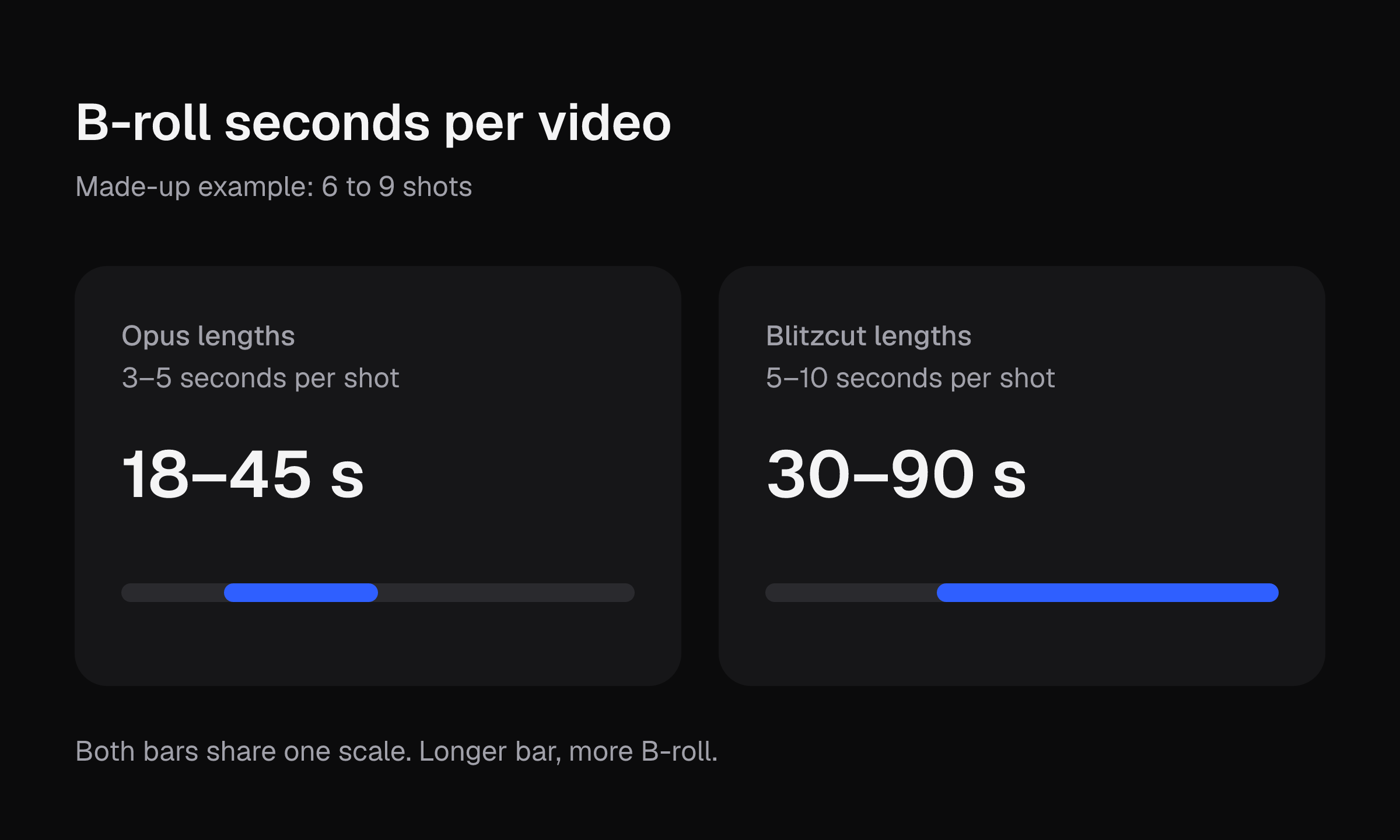
- B-roll seconds per video = shots × 3 up to shots × 5 (Opus), or shots × 5 up to shots × 10 (Blitzcut).
- Total editing and filming per day with B-roll = V × (T + 5 + L).
A made-up illustration, not a fact: say V = 3 and P = 3. Extra filming is 3 × 5 = 15 minutes a day. Shots per video are 6 to 9. At Opus's lengths that is 18 to 45 seconds of B-roll per video. At Blitzcut's lengths it is 30 to 90 seconds. T and L stay blank, because no source gives them.
Check the last number against your video length. If 90 seconds of B-roll is more than your whole video, use fewer shots or the shorter lengths.
Trimming is the part you pay every video whether or not you add B-roll. Everything else in the math is optional.
Cut pauses first, then decide on B-roll
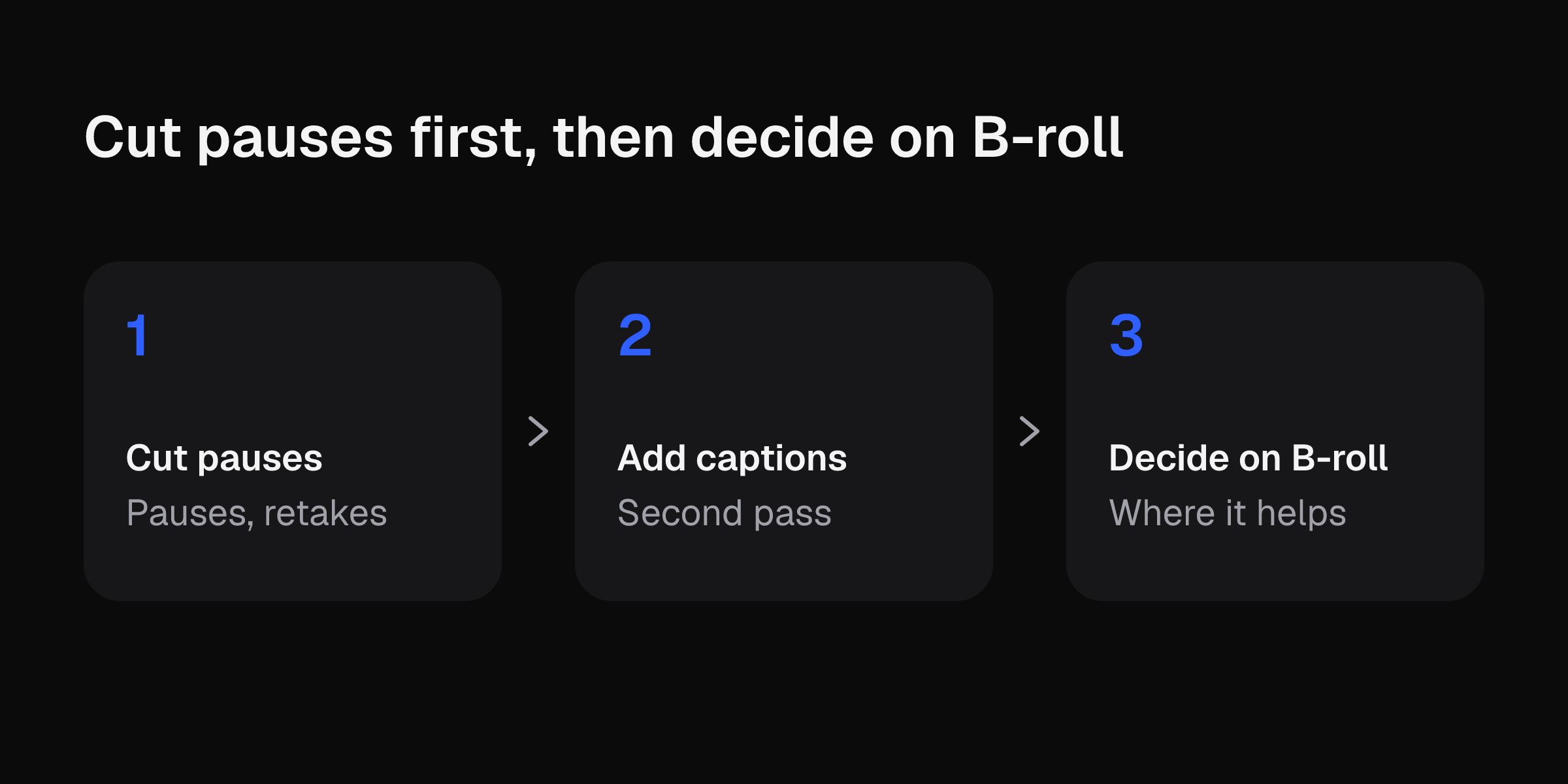
Blitzcut's order for mostly-talking videos is: cut pauses first, then add captions, then decide where B-roll is worth adding. That order saves work. If you cut pauses first, you see how long the video really is before you decide whether it passes your 30 or 45 second line.
For phone steps on the trimming itself, see how to edit TikTok videos.
This site's editor takes one raw take from your camera roll or computer and gives back a cut clip. It cuts pauses, filler words such as "um", retakes, and spoken "Clip N" slates. It does not add captions, music, b-roll, effects or transitions. If you want to see how much of a take disappears before you film any B-roll, upload a raw take and get the first clip cut free, no card needed.
Shot types that suit a product video
Blitzcut lists 8 types of B-roll: screen recordings, close-ups and details, process shots, establishing shots, POV shots, reaction and cutaway shots, text and graphics, and stock footage. Opus lists product shots and screen recordings among common sources.
For a product video, three of those fit best:
- Close-ups and details: the texture, the label, the stitching.
- Process shots: you using the product, one step at a time.
- Screen recordings: useful for an app or a tracking page.
TikTok's seller quality page says to show the product from various angles, focusing on features, appearance and functionality. It also says that when you demonstrate use, you should explain features and benefits with step-by-step guidance.
Shoot b roll on your phone: 8 steps
- Shoot vertically for Reels, TikTok and Shorts (Blitzcut). Opus says cropped 16:9 footage loses about 40% of the frame's visual information. See TikTok aspect ratio for the frame size.
- Hold it steady. Use a tripod, or brace your elbows against your body or a table (Blitzcut). TikTok's seller page also says to use a tripod or stabilize the video.
- Move closer instead of zooming. Pinch-zooming between lenses crops digitally and softens the image (Blitzcut).
- Lock focus and exposure. Press and hold on the subject until "AE/AF Lock" appears (Blitzcut).
- Face the subject toward a window so the A-roll and B-roll light match (Blitzcut).
- Film it right after the A-roll. Blitzcut says five extra minutes of close-ups covers most edits.
- Prefer a five-second still shot over a twenty-second shaky pan (Blitzcut).
- Turn on Action mode on iPhone 14 and later for smoother handheld walking footage (Blitzcut).
Sound and quality
B-roll almost never keeps its own audio in the final edit, so the viewer hears your A-roll voice (Blitzcut). Blitzcut recommends muting the B-roll audio. Opus advises grabbing 10 seconds of ambient room tone wherever you shoot B-roll.
Opus says to use the same resolution as your A-roll, because mismatched quality is a top retention killer. CapCut says B-roll frame rate usually matches the A-roll, with 24, 30 or 60 fps common.
Stock footage
Opus suggests Unsplash, Pexels and Pixabay. Blitzcut names Pexels and Pixabay. Both say to check each clip's license before commercial use. CapCut says Pixabay content is safe for commercial use under the Pixabay license. Opus warns that watermarked or low-resolution stock hurts perceived production value, and that clichés like a handshake, a laptop keyboard or a lightbulb read as low-effort. Blitzcut says to get permission if a recognizable person appears in your B-roll.
For a product video, your own product shots are the safer choice.
Placing the clips
Blitzcut says to start B-roll a few frames before the word it illustrates and let it run slightly past. Opus advises avoiding default cube or star transitions, because hard cuts feel more premium. It also says to keep whip pans and zoom transitions under 0.4 seconds.
For muted viewers, Opus says to put key stats, questions or statements as text over B-roll. TikTok's seller page says on-screen text should be in sync with the dialogue and easy to read.
TikTok Shop quality checks
The seller quality page asks for crisp audio (a microphone, a quiet room, a wind muff outdoors), adequate lighting that shows product details, and organized, appealing filming locations. It says violations may lead to enforcement actions that may include violation points, removed content, restricted commission earnings, and a restricted or removed account. It gives no B-roll requirement. Read the page yourself before you film, since TikTok can change it. Checked 2026-10-25.
Tools that add B-roll
If you want B-roll added inside an editor, these are the options the sources describe:
- CapCut offers stock B-roll clips through a "Stock materials" option. It lets you trim each B-roll clip and shares directly to TikTok and YouTube.
- Opus offers AI B-roll that it says takes one click and under a minute.
Neither source page lists a price, so check current pricing before you commit. For how CapCut compares on cost and trimming, see CapCut alternative. For video length limits that affect how many shots fit, see how long a TikTok video can be.
Before you post
Download each finished clip the day you get it. Uploaded videos are deleted 7 days after upload and finished clips 30 days after they are made. Upload a raw take and get the first clip cut free, no card.